Flashcards that remind you right before you forget
Make your own cards for any language, study them by swiping, and let Just R schedule each review on the Ebbinghaus forgetting curve. Words stick because you repeat them on time.
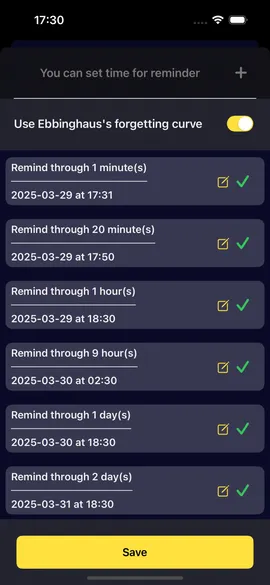
Reminders on the forgetting curve
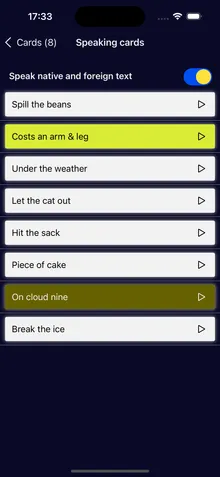
Five card types, read aloud
Works offline, syncs when you sign in
Free · In-app purchases · iOS 16 or later
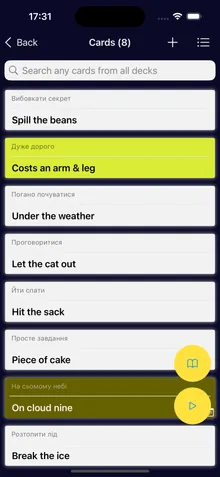
Piece of cake
very easy
Common idioms
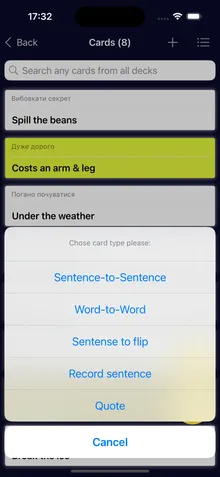
Spill the beans
to reveal a secret
ForgotRemember
How it works
Spaced repetition, scheduled for you
Memory fades fastest in the first hours after you learn something. Just R reminds you to repeat a deck at growing intervals, so each review lands just before a word slips away.
1
Make a deck
Add words or phrases with a translation, a note, a tag and a color. Type them, dictate them or import a CSV file.
2
Swipe to study
Flip each card and mark it Remember or Forgot. Listen to it read aloud at the speed you like.
3
Repeat on time
Turn on the forgetting curve and Just R sets the reminders for the deck, as a notification or a Calendar event.
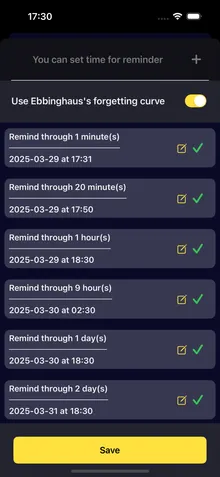
The default review schedule
1 min
20 min
1 hour
9 hours
1 day
2 days
6 days
1 month
3 months
Prefer your own rhythm? Add reminders at the times you choose instead.
Real screens from the app. Scroll sideways to see more.
AI tools
A picture, a voice and context for every word
Abstract words are the hardest to remember. Optional AI tools give a card something to hold on to.
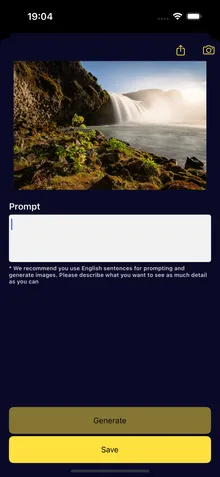
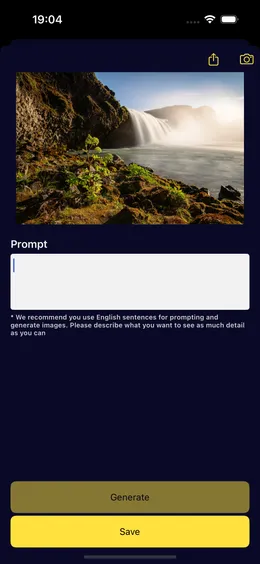
AI images
Describe a scene and Just R draws a picture for the card. An image is easier to recall than a word alone.
AI voice
Have a card read aloud in a natural AI voice instead of the built-in system voice.
Word in context
See how a word or phrase is used in real sentences before you add it to a deck.
AI features ask for your permission first. Only the text of the card is sent to OpenAI to create the result, never your name, email or account details. How AI features handle your data
Ready-made decks
Start with decks that are already made
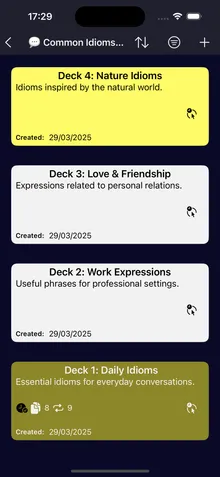
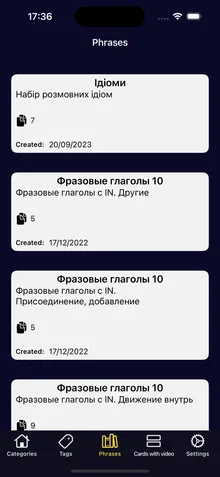
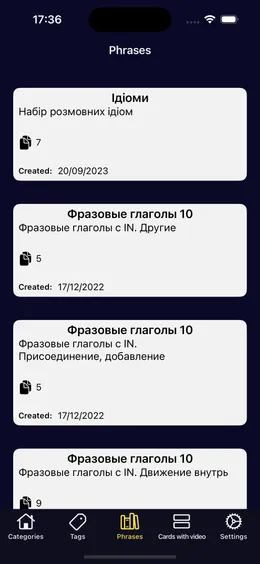
Not sure where to begin? The Phrases tab has decks of idioms, phrasal verbs and everyday expressions, ready to save to your collection.
Save a deck to your collection and study it like your own
Listen to every card read aloud
Decks with video: see and hear phrases in use
Buy a single deck, or get them all with Premium
Reminders
A reminder where you will see it
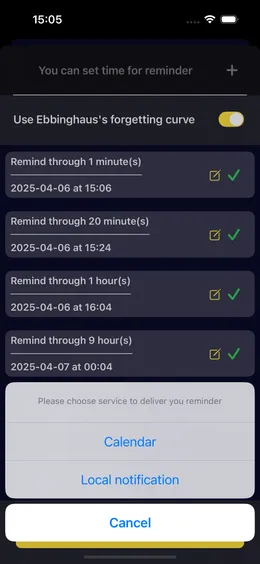
Choose how each deck reminds you: a notification on your iPhone, or an event in your Calendar next to everything else you have planned.
Notification or Calendar event, for each deck
The forgetting curve, or your own times
Long-press a deck to see every date you repeated it
Widgets keep a random card in sight between reviews
Pricing
Free to start. Premium when you want more.
Download Just R for free and make your first decks today. Premium removes the limits and adds ready-made decks and AI tools.
Free
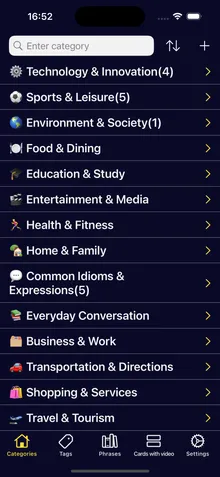
Categories, decks and cards
Swipe study and speaking cards
Reminders on the forgetting curve
CSV import and export
Widgets and offline mode
The free version limits how many decks and cards you can make, and it shows ads.
Premium Premium
A subscription from a week to a year, or a one-time lifetime purchase.
Unlimited decks and cardsMake as many as you need
Unlimited categoriesOrganize every topic you learn
Ready-made decksSave and listen to decks we made
Decks with videoWatch and hear phrases in use
AI voiceCards read aloud by AI
Word contextHow words are really used
The App Store shows the price in your currency before you buy. Subscriptions renew automatically until you cancel them in your Apple Account settings. Prices and subscription terms
FAQ
Questions people ask before they install
What is Just R?
Just R is a flashcard app for iPhone and iPad. You make decks of words and phrases in any language, study them by flipping cards and marking Remember or Forgot, and the app reminds you to repeat each deck on the Ebbinghaus forgetting curve.
How does spaced repetition work in Just R?
Turn on the forgetting curve for a deck and Just R sets reminders 1 minute, 20 minutes, 1 hour, 9 hours, 1 day, 2 days, 6 days, 1 month and 3 months later. Each review comes just as you would start to forget, so the gaps can keep growing. You can also set your own reminder times.
Which languages can I learn?
Any language. You write the cards, so Just R works for English, Spanish, German, Polish or any other pair. Cards are read aloud with the voices installed on your iPhone or iPad. The app itself is in English, Ukrainian, Russian, German and Spanish.
Is Just R free?
Just R is free to download, and you can make decks and cards, study them and get reminders for free. The free version has limits on how many decks, cards and categories you can make and shows ads. Premium removes the limits and adds ready-made decks, decks with video, AI voice and word context.
Are there ads in Just R?
The free version shows ads from Google AdMob. Ads are personalized only if you allow tracking when iOS asks; otherwise they are not personalized. You can review your choices in the app under Ads privacy settings.
Can I use Just R on several devices?
Yes. Sign in with Apple, email or phone and your decks sync to your account, so they are there on a new iPhone or your iPad.
In 1885 Hermann Ebbinghaus memorized nonsense syllables and timed how fast he forgot them. Here's what his curve really shows, what later research added, and how to turn it into a review schedule you'll keep.
Speed comes from wasting fewer reviews, not from cramming more words into one evening. Here's a method built on what memory research supports, and what it can't promise.
A flashcard is only as good as what's written on it. Here are the rules that make cards quick to review, how paper compares with an app, and how to build your first deck in Just R.