

Vocabulary
How to Memorize Vocabulary Fast Without Forgetting It by Next Week
Speed comes from wasting fewer reviews, not from cramming more words into one evening. Here's a method built on what memory research supports, and what it can't promise.
Flashcards
A flashcard is only as good as what's written on it. Here are the rules that make cards quick to review, how paper compares with an app, and how to build your first deck in Just R.
Knowing how to make vocabulary flashcards well saves more time than any study trick. The card decides how hard each review is: a clear card takes three seconds to answer, a muddled one takes thirty and still leaves you unsure whether you got it right. Multiply that by hundreds of cards and dozens of reviews, and the way you write cards matters more than the app or the paper you write them on.
This guide covers the rules for good cards, paper versus an app, and a step-by-step setup in Just R, from your first category to reminders built on the forgetting curve.
Flashcards work because they make you recall an answer instead of rereading it. In a 2008 study in Science, students who kept testing themselves on 40 Swahili–English word pairs recalled about 80% a week later, against about a third for students who stopped testing once they’d got a pair right (Karpicke and Roediger). A good card makes that recall quick and unambiguous. Most of the rules below come from that one idea, and several are spelled out in Piotr Wozniak’s twenty rules of formulating knowledge, a classic guide on the SuperMemo site.
Wozniak calls it the minimum information principle: keep each item as simple as possible. A card with «run: to move fast, to manage, to flow, to work (a machine)» asks you to recall four things at once, and you’ll never be sure which one you missed. Pick the meaning you need now and give it its own card. Add another card when you need another meaning.
The same goes for lists. «Synonyms of happy» stays a hard card no matter how often you review it. Three cards, each with its own example, are easy.
A word on its own is a sound and a translation. A phrase shows how the word is used, what it goes with and how it behaves in grammar. «Make a decision», «heavy traffic», «under the weather». Keep it short, with one new thing per card.
Put the meaning you understand fastest on the back: a translation at first, a short definition later. Use a note for what the front doesn’t show:
Wozniak suggests personalizing items and linking them to your own life. «I need to take a break» is fine. «I need to take a break from this spreadsheet» is about you, and it’s easier to recall.
Hearing a word gives you the pronunciation along with the spelling, and saying it aloud while you study helps it stand out in memory. Pictures help most with concrete words that won’t stick. Use them where they earn their place, not on every card.
Decks are usually built by lesson or topic. Tags cut across them: «phrasal verbs», «work», «false friends». They let you review one kind of word from all your decks at once.
Here is what that looks like in practice:
| Weak card | Better card | Why it’s better |
|---|---|---|
| run → (four meanings) | run a business → manage a company | One meaning per card |
| mistake → error | make a mistake → (translation) | Learns the partner word too |
| happy, glad, cheerful → (one translation) | Three cards, each with its own example | No lists to recall |
| actual → (translation) | actual → real; note: false friend, not «current» | The note catches the trap |
| weather → (translation) | I’m a bit under the weather → I feel slightly ill | A phrase you can use and picture |
Both work, as long as you test yourself and space the reviews. They differ in what they do for you.
Paper cards are quick to start, have no screen and no notifications, and writing a card by hand makes you think about what goes on it. The weak spots are scale and timing: once you have a few hundred cards, deciding which ones are due, sorting them and carrying them around becomes its own job, and there’s no sound.
A flashcard maker app keeps every deck in your pocket, reads cards aloud, searches across all of them, reminds you when a deck is due and keeps a backup. The risk is the opposite one: it’s so easy to add cards that people add too many. The rules above apply on a screen just as much as on paper.
If you already have a stack of paper cards that works, keep it. If you have more words than a shoebox can handle, or you study on the bus, an app is the better tool.
Just R organizes cards in three levels: categories hold decks, and decks hold cards. Here’s the full setup, from an empty app to a deck with reminders.
On the Categories tab, tap + and name the category: a level («English B1»), a goal («Travel Spanish») or a source («Work email»). Categories keep the deck list short once you have many decks.
Open the category and tap + to add a deck. Give it a title, a short description and a color. Colors make decks easy to tell apart at a glance; one color per week, or per level, works well.
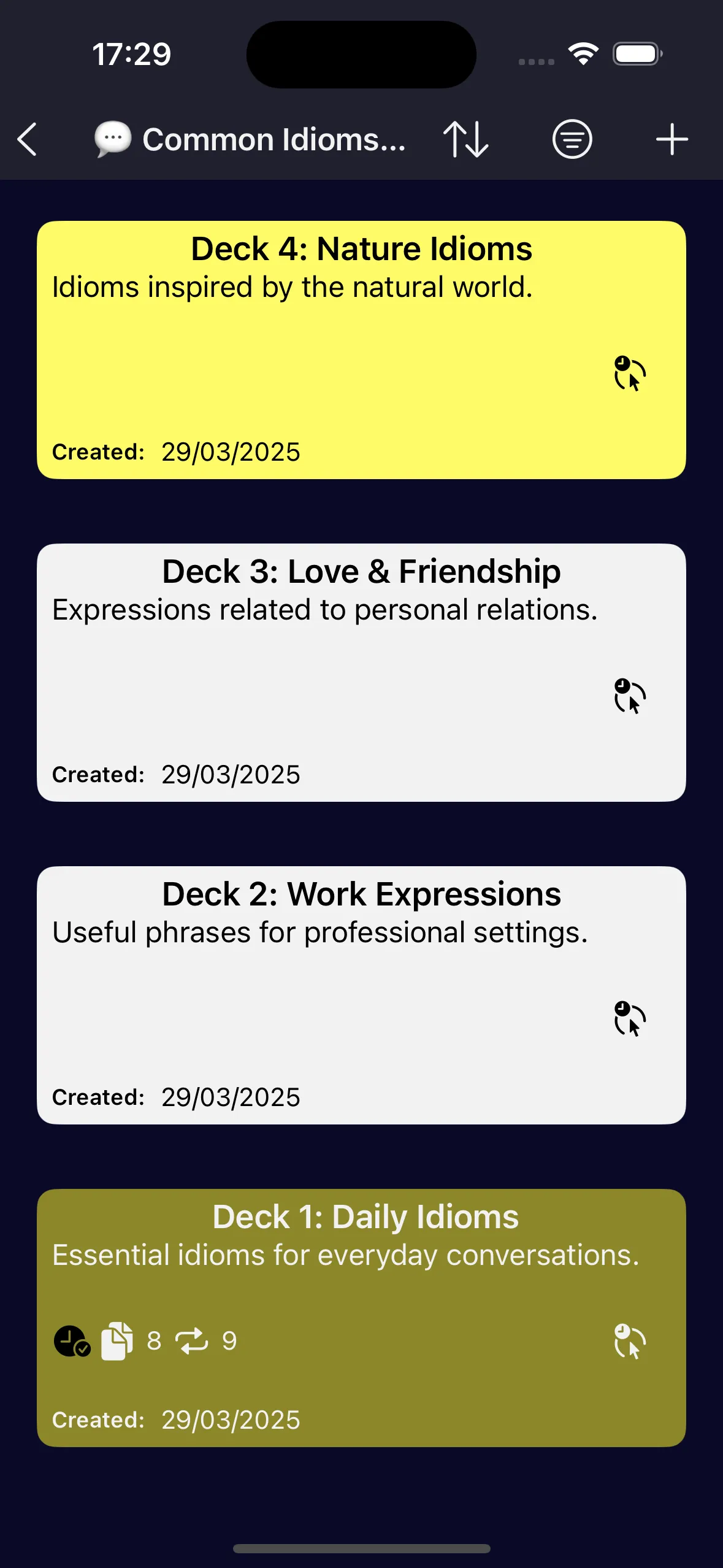
Open the deck and tap +. Just R asks which of its five card types you want:
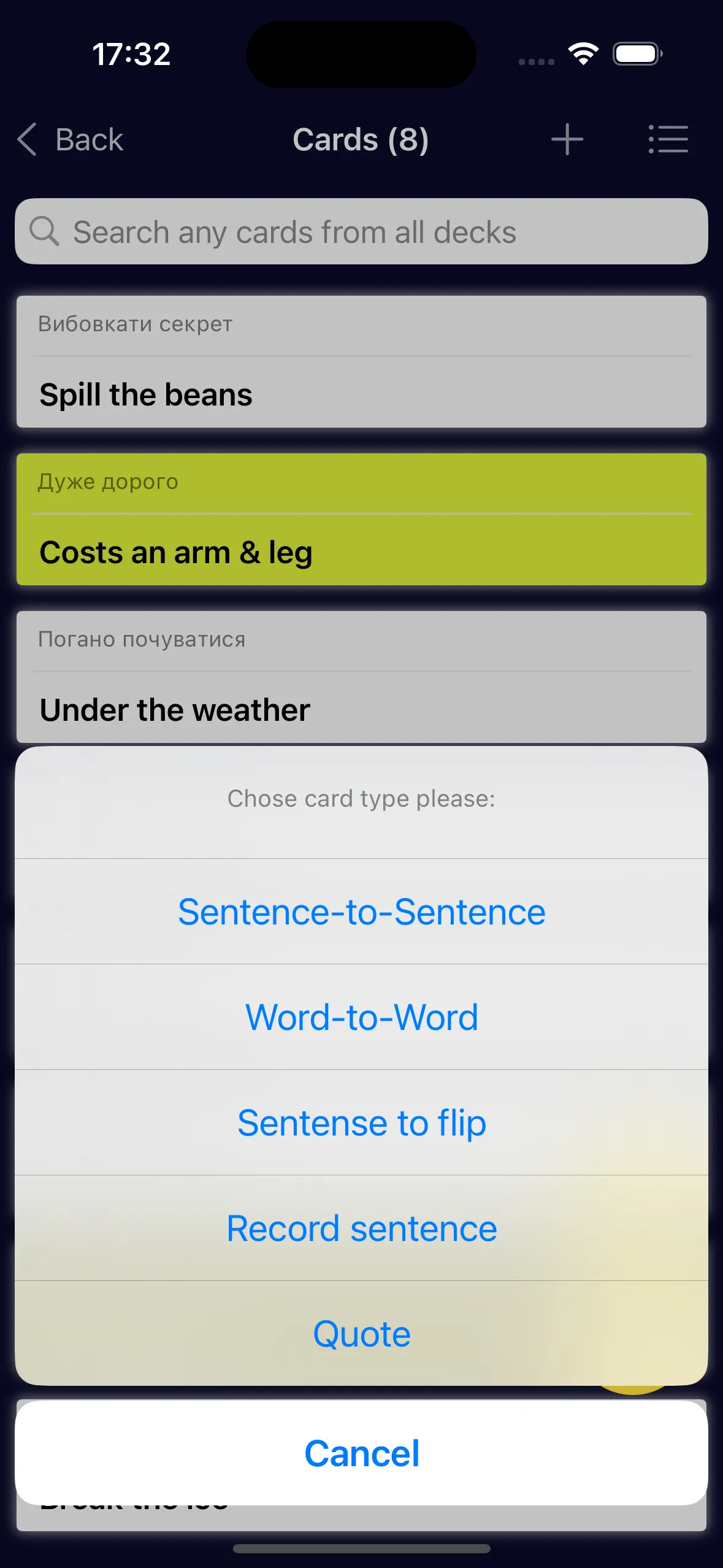
You can mix types in one deck. There’s more on each one in the card types section of the features page.
Every card has room for a note, tags and a color. Use the note for grammar, register or a false-friend warning. Add a tag or two for groups you’ll want to review across decks; the Tags tab shows every card with a tag, whichever deck it’s in. Use color to flag cards, such as the ones you keep forgetting.
If a word really needs a picture, Just R can generate one from a text prompt. It’s optional, it’s sold as a small in-app purchase, and it sends the card’s text to OpenAI after asking your permission.
If your words are already in a spreadsheet, you don’t have to type them again. Just R imports and exports CSV files in its own column layout, so the easiest template is a file it made itself:
There’s more on importing and exporting decks on the features page.
Tap the flip cards button at the bottom of the card list and choose the card style for flip mode. Read the prompt, answer from memory (out loud if you can), then flip. Swipe the card to Remember or Forgot and move on. When you finish the pass, Just R records the repetition. To hear the deck instead, start Speaking cards.
Open the deck’s menu, choose Set reminder and turn on Use Ebbinghaus’s forgetting curve. Just R schedules reminders after 1 minute, 20 minutes, 1 hour, 9 hours, 1 day, 2 days, 6 days, 1 month and 3 months, delivered as a local notification or a Calendar event. You can untick any of them or add your own times. Our guide to spaced repetition and the Ebbinghaus forgetting curve explains why those intervals.
Try it in Just R: create one category and one deck for this week’s words, add five Word to word cards written as short phrases, each with a note and a tag, and run the deck once in flip mode. Then choose Set reminder from the deck’s menu and turn on «Use Ebbinghaus’s forgetting curve».
Good cards are half the method. The other half is how you review them: in phrases, out loud and on a schedule. Our guide on how to memorize vocabulary fast covers that part.
The word or phrase in the language you're learning on one side, its meaning on the other, plus a short example and an optional note for grammar, register or pronunciation. Keep it to one thing to remember.
Neither is better at making you remember; what matters is testing yourself and spacing the reviews. Paper is quick to start and fine for small sets. An app handles the schedule, audio and search for you, which matters once the collection grows.
Use whichever you understand instantly. Beginners usually do better with a translation. As you advance, a short definition or example in the language you're learning keeps you thinking in that language.
Yes. Just R imports and exports CSV files in its own column layout. The simplest template is a deck you export from Just R: add rows in a spreadsheet, save it as CSV, then use Import data in Settings.
Few enough to finish in one sitting when a reminder arrives. Group words by topic, lesson or week, so the whole deck can be reviewed together and marked as finished together.